Pam App
- 4.8
- Rating
- 1.00M
- Installs
- Free
- Price

 Analysis by App-foxy
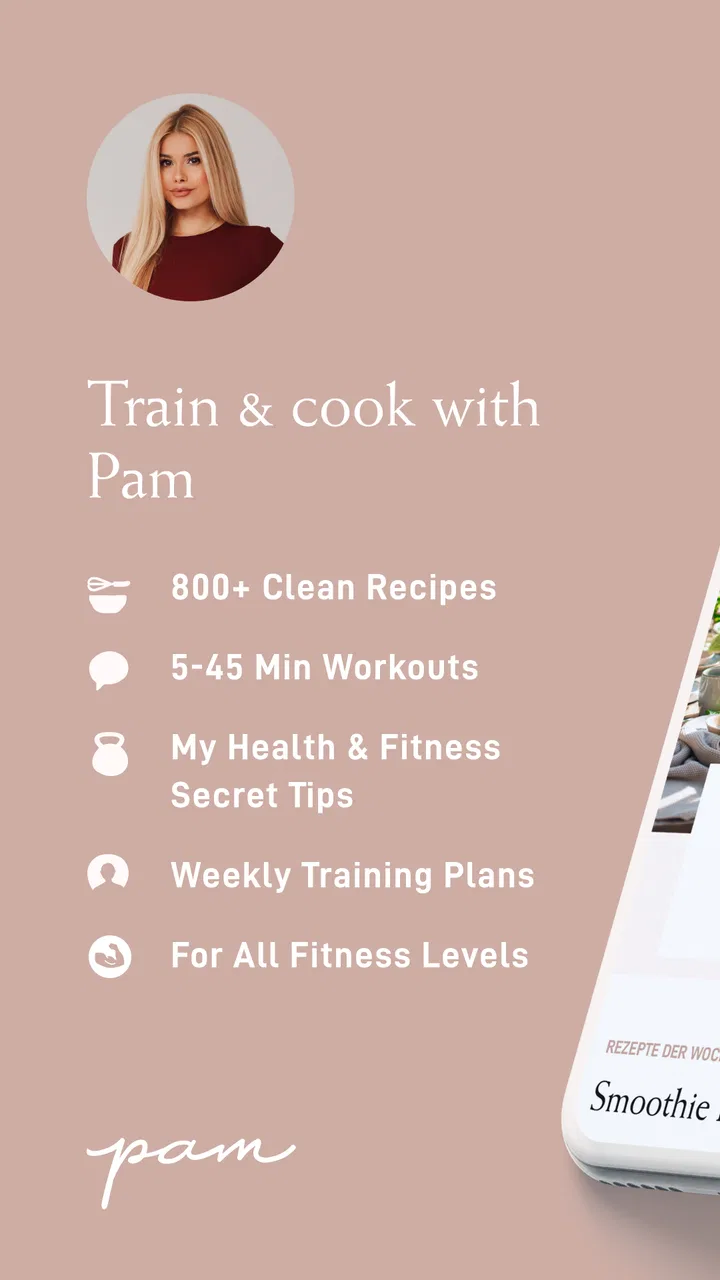
I opened Pam App expecting a simple collection of celebrity-inspired recipes, but it is more useful to think of it as a personal food-and-routine workspace. Created by Pamela Rf, this free Food & Drink app brings recipes, workout guidance, shopping lists, and planning tools into one place. That combination matters because the difficult part of eating or training consistently is often not finding an idea; it is moving from “I should do something healthy” to knowing what to buy, when to prepare it, and how to fit it into an ordinary day.
My experience was strongest when I treated the app as a workflow rather than as a recipe browser. I started with a loose goal, chose food and activity ideas, turned those choices into a practical plan, and then used the shopping list to bridge the gap between the screen and the kitchen. The process is not completely frictionless, and the app will not replace a specialist nutrition service or a fully customizable fitness platform. Still, for someone who wants one approachable place to organize meals and workouts, it has a clear everyday appeal.
From an unplanned day to a usable routine
The starting condition most people will recognize is a busy day with good intentions but no structure. You may want to cook more often, move regularly, or stop making last-minute food decisions, yet separate recipe apps, notes, calendars, and workout videos can make the solution feel like another task. Pam App addresses that problem by putting the main pieces of the routine beside one another.
You May Also Like

 Blood Strike: 2.5 Anniversary
Blood Strike’s Loadouts Turn Every Drop Into a Tactical Gamble
A close look at Blood Strike’s custom loadouts: how fast access to signature weapons reshapes its battle royale rhythm, rewards preparation, and narrows the gap between fights.

 Pandora - Music & Podcasts
Pandora’s Music Is Easy to Start, but Harder to Recover
Pandora’s strength is its low-effort path from a seed to a station. Its weak spot is how much confidence it asks you to place in connection, setup, and quiet recovery.

 8 Ball Pool
 Is Built on Rivalries, Rematches, and Routine
A close look at the rivalries, rematches, shared routines, and unanswered safety questions that turn a quick pool match into a persistent mobile community.

 Samsung Music
’s Quiet Strength Is Playing What You Already Own
Its reach comes less from spectacle than from dependable access to a personal library. That simplicity is both the app’s strongest retention engine and its ceiling.

 AccuWeather: Weather Radar
AccuWeather Review: A Quick, Clear Forecast for Everyday Decisions
For everyday plans, the best forecast is the one you can understand quickly. AccuWeather makes rain timing, radar, and local conditions easy to act on, with a few trade-offs.

 Hill Climb Racing
Why Hill Climb Racing Still Turns Crashes Into One More Run
A tiny car, a bumpy hill and one more upgrade: Hill Climb Racing keeps resurfacing because its simple chaos makes every near-miss feel personal.
More From Our News Desk



I found the planning angle more important than the individual recipe or workout. A recipe by itself gives me something to cook, but a planner helps me decide when it belongs in my week. A workout by itself can be motivating, but it becomes easier to follow when it sits alongside the food and preparation needed around it. The app’s value comes from these connections, even though the handoffs between them still require my attention.
The app is free to install and is suitable for Everyone, which makes it approachable for a broad household. It has passed the stage of being a small experiment: the Android listing shows over one million installs, a 4.8 average from around eleven thousand ratings, and 102 written reviews. Those figures suggest that the basic concept has found an audience, but they do not remove the need to decide whether its particular style suits you.
Choosing the right starting point
I would begin by choosing one concrete outcome instead of trying to use every part at once. For example, a sensible first goal might be planning weekday lunches, preparing a few dinners, or adding short workouts around an existing schedule. Starting with a narrow objective makes the app easier to judge because I can see whether it reduces decisions rather than simply giving me more content to browse.
This is also where the app’s personality becomes apparent. It is built around Pamela Reif’s approach to food, movement, and planning, so people who already enjoy that style may feel at home quickly. Someone looking for clinical dietary advice, extensive medical filtering, or a neutral database of every possible cuisine may find the experience less suitable. The app feels more like guided lifestyle organization than an all-purpose professional tool.
One useful habit is to separate inspiration from commitment. I can look through meal ideas first, but I should only place dishes into a plan after considering preparation time, available ingredients, and the days when I am likely to have enough energy to cook. That small pause prevents a common mistake: creating an attractive plan that collapses as soon as the week becomes busy.
Building a meal plan without overcommitting
Once I have a few dishes in mind, the planner becomes the point where browsing turns into action. I would assign meals to realistic moments, leaving room for leftovers or an easier option on demanding days. This is more practical than filling every slot with a different recipe, because variety is not helpful if it creates an unreasonable shopping trip and too much preparation.
The strongest workflow is to use the planner as a decision filter. Rather than asking what looks best, I ask which meal fits the day, whether its ingredients overlap with another meal, and whether I can prepare part of it ahead of time. This is a non-obvious advantage of having recipes and planning tools together: the app encourages me to think in sequences, not isolated dishes.
For a typical weekday, I might choose a straightforward breakfast, plan a lunch that can be prepared in advance, and reserve a more involved dinner for a night when I am home earlier. I would then place a workout where it is least likely to compete with cooking. The result is not a perfect timetable; it is a set of choices made before hunger and fatigue take over.
Turning selections into a shopping trip
The shopping-list stage is where the app’s promise becomes tangible. After deciding what I want to make, I can use the list as a handoff from planning to purchasing. That sounds basic, but it is exactly the step people often lose when moving between a recipe page and a separate notes app. Keeping the list near the meal choices reduces the chance of forgetting an essential ingredient.
I would still review the list before leaving home. A planned recipe may share ingredients with something already in the cupboard, while another item may be easy to substitute based on personal preference. The list is most useful as a starting point for a deliberate shop, not as a reason to buy every item automatically. Checking quantities and removing duplicates can make the difference between a tidy grocery run and unnecessary waste.
There is another practical trade-off here. A dedicated grocery-list app may offer more advanced sorting, household sharing, or store-specific organization. Pam App is more appealing when I want the list connected to the meal plan, not when I need a sophisticated inventory system. For a single person or a small household, that simplicity can be an advantage; for a large family with constantly changing shopping responsibilities, it may feel limited.
Moving from the list to the kitchen
The handoff from shopping to cooking is not automatic, and that is where my own judgment matters. I would group preparation into small blocks: wash or portion ingredients, prepare anything that keeps well, and leave final assembly for the meal itself. The app helps me decide what belongs in the week, but the kitchen still requires normal practical decisions about storage, timing, and taste.
This workflow also reveals whether a plan is genuinely sustainable. If every recipe demands a separate shopping trip or extensive preparation, the problem is not motivation; the plan is too ambitious. I would simplify the following week by repeating a useful ingredient in more than one meal, choosing an easier option for the busiest day, and treating the planner as flexible rather than as a test I can fail.
For someone living alone, this can help prevent buying ingredients for an unrealistic number of recipes. For a couple, it can make a shared plan easier to discuss before shopping. For a beginner, it provides a visible path from selecting a dish to actually making it. The app is less compelling for an experienced cook who already has a reliable system and mainly wants highly technical recipes or professional kitchen tools.
Adding workouts to the same week
The workout side changes the flow from meal organization into broader routine building. I would not place exercise into every open space simply because the planner allows me to think about it. Instead, I would choose sessions that fit the week I have already planned. A workout before a rushed dinner may create more stress than benefit, while a session placed near a predictable block of free time is easier to complete.
The useful insight is to plan the transition around the workout, not only the workout itself. I need to know whether I will eat before or after moving, whether a meal needs preparation in advance, and whether the next commitment leaves enough recovery time. By considering those handoffs, the app becomes more than a list of activities. It helps expose the small logistical choices that usually determine whether a routine survives.
That said, I would not treat the workout content as a substitute for individualized coaching. People managing injuries, medical conditions, or specific performance goals should use professional guidance suited to their situation. The app is better for general lifestyle organization and accessible home-based motivation than for diagnosing limitations or designing a specialized training program.
What the complete workflow feels like in practice
Imagine a Sunday afternoon when I want the next few days to feel less chaotic. I first choose several meals that match my schedule, put them into the planner, and inspect the shopping list for overlap. I then place workouts on days when I can realistically complete them, leaving enough space for cooking and other responsibilities. At the shop, I use the list but adjust it for what I already own. During the week, I follow the plan loosely and move a meal if the day changes.
The outcome is not that the app cooks for me or removes every decision. The outcome is a shorter chain between intention and action. I spend less time asking what to eat, what to buy, and when to exercise because those questions were considered earlier. That is the app’s most convincing result: it turns several disconnected reminders into one visible routine.
A particularly useful technique is to review the plan after the week rather than judging it only by completion. I would note which meals were easy, which ingredients went unused, and which workout placements felt natural. Then I would adjust the next plan accordingly. This turns the app into a feedback loop, even if the learning still comes mainly from my own observations rather than from an automated coach.
Where the flow breaks down
The first weakness is that a combined app can feel less deep than several specialist tools. A recipe-focused service may be better for advanced search and detailed cooking discovery. A dedicated fitness app may offer deeper progress tracking or more training variety. A grocery app may handle shared lists more elegantly. Pam App makes sense when connection matters more than maximum depth in one area.
The second friction point is commitment. Planning can create a satisfying sense of progress before anything has happened in real life. I can arrange meals and workouts neatly and still abandon them when work, travel, or tiredness intervenes. The app cannot solve that by itself. Its planners are useful only when I keep them realistic and allow changes without treating the original schedule as sacred.
There is also a financial detail worth considering. The app is free, but in-app purchases range from $2.99 to $29.99 per item. That means I would check which parts of the experience are available without payment and decide whether any optional purchase fits my budget before building my entire routine around it. The free entry point is attractive, but “free to install” does not necessarily mean every desired element is included at no cost.
Another limitation is that the app’s guided approach may not suit everyone’s food preferences. If I follow a strict medical diet, need carefully calculated nutrition targets, or cook mainly from a culturally specific family repertoire, I may spend more time adapting ideas than using them directly. In those situations, a specialized nutrition tool, a personal dietitian, or my existing recipe system could be a better choice.
Who will get the most from it
I would recommend Pam App to someone who wants a gentle bridge between meal inspiration, shopping, workouts, and weekly organization. It is especially appealing if the main problem is scattered planning rather than a lack of information. Beginners may appreciate having a single place to start, while people returning to a routine may like the reduced effort of rebuilding a basic structure.
It can also work well for someone who prefers a creator-led experience. Pamela Reif’s name is part of the app’s identity, and users who already connect with her style may find the guidance more motivating than an anonymous database. The app’s Everyone rating also makes it approachable for general household use, although individual health circumstances should still guide exercise and food decisions.
I would skip it if I want a rigorous training log, highly technical cooking instruction, extensive medical nutrition support, or a fully collaborative household shopping system. I would also hesitate if I dislike planning in advance or prefer to decide every meal spontaneously. In that case, the planner may feel like extra administration instead of helpful structure.
Compatibility, cost, and everyday practicality
On Android, the app requires version 8.0 or later, so it remains accessible on many older devices while still excluding very old operating systems. The current version is 2.2.2. I would check the device requirement before installing, especially on an older phone, and I would keep the app updated if I rely on it for a weekly routine.
The developer is Pamela Rf, and the app was released on January 16, 2021. Those details give the product some history rather than making it feel like a newly published experiment. Still, the best reason to install it is not its age or popularity; it is whether the combined workflow matches the way I actually organize food and exercise.
My practical advice is to test it with one ordinary week. Choose fewer meals than you think you need, create a shopping list, schedule only workouts that fit your real calendar, and see whether the process saves time at the points where you usually struggle. If it makes the week clearer, expand gradually. If it creates more browsing and planning than action, a simpler notes list or a specialist app may serve you better.
My final take after following the full process
The best part of Pam App is the handoff from intention to execution. Recipes become planned meals, planned meals become a shopping list, and workouts can be placed beside the same weekly structure. That chain is more useful than any single content area when my real problem is disorganization.
I like it as a practical lifestyle companion, not as an authority on nutrition or a replacement for expert fitness support. Its free starting point, accessible age rating, and strong user response make it easy to try, while the optional in-app purchases and creator-led focus are reasons to consider whether it matches my expectations. The app works best when I use it flexibly, review what worked, and accept that a good plan must survive ordinary interruptions.
After using the workflow from selection through shopping and preparation, I would recommend it to a friend who wants fewer disconnected tools and a calmer way to plan meals and movement. I would not recommend it automatically to someone seeking deep specialization. For the right user, though, Pam App turns a vague wish to eat and move more consistently into a sequence of manageable decisions, and that is a meaningful result for a free Food & Drink app.
FAQs for Pam App
01What is the primary purpose of the Pam App?
The Pam App is designed to help users manage their personal finances effectively. It offers tools for budgeting, tracking expenses, and planning savings. By providing insights and analytics, the app aims to promote better financial habits and assist users in achieving their financial goals.
02Is Pam App secure for managing sensitive financial information?
Yes, the Pam App prioritizes user security by employing advanced encryption technologies to protect your data. It requires strong authentication methods and does not store sensitive information on unsecured servers. Regular updates and security audits ensure that your financial data remains private and secure.
03Can I sync Pam App with my bank accounts?
Pam App supports syncing with multiple bank accounts to streamline financial management. By securely linking your accounts, the app automatically tracks transactions, providing a comprehensive overview of your financial activity. This feature reduces manual entry and enhances the accuracy of your budget and expense tracking.
04Does Pam App offer customizable budgeting features?
Yes, Pam App allows users to create personalized budgets tailored to their unique financial situations. Users can set spending limits on various categories, such as groceries or entertainment, and receive alerts when approaching their budget limits. This customization helps users stay on track with their financial plans.
05Is Pam App free to use, or are there any premium features available?
Pam App offers a free version with essential features for managing finances. However, there is also a premium version available that includes advanced features such as detailed analytics, priority customer support, and personalized financial advice. Users can choose the plan that best fits their needs.
Pros
- Intuitive user interface enhances navigation.
- Wide variety of workouts for all fitness levels.
- Customizable meal plans suit dietary needs.
- In-app community for motivation and support.
- Offline mode for workouts without internet.
Cons
- Some features locked behind a paywall.
- Occasional bugs in meal tracking feature.
- Limited integration with other fitness apps.
- Notifications can be overwhelming at times.
- Initial setup can be time-consuming.

Pam App
Gallery